Powerfull
myK9Q App
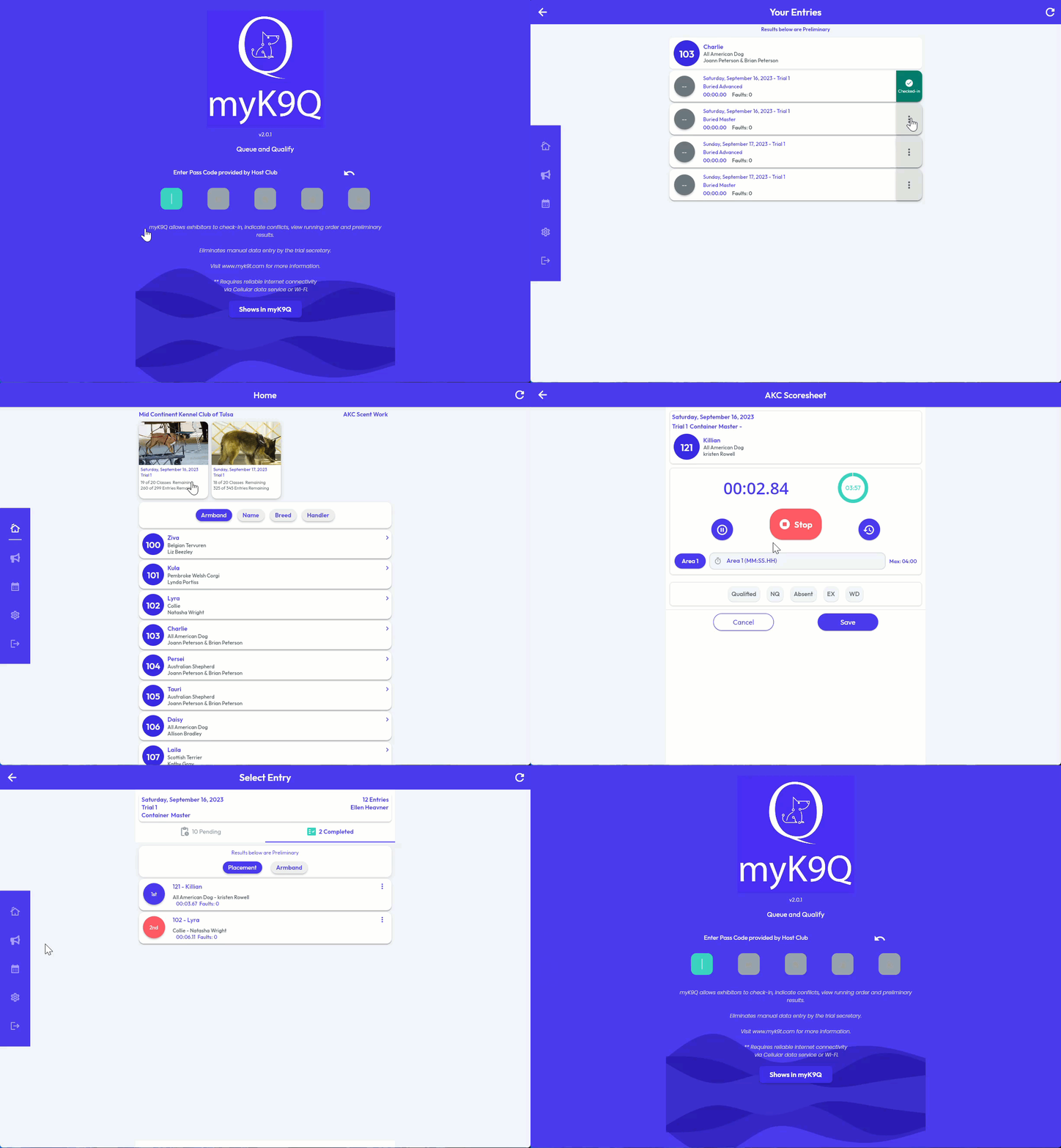
myK9Q (Qualified•Queue) is a modern web application that streamlines scent work trial management. Exhibitors self check-in, judges score at ringside, and results appear instantly—all from any device with a browser.
What’s New in Version 3
- Offline-First Design – Scores are saved locally and sync automatically when connectivity returns. No more lost data from spotty WiFi.
- Works on Any Device – Runs in your browser on phones, tablets, or laptops. Install it as an app for quick access.
- Real-Time Results – Exhibitors see their scores the moment they’re entered.
- Multi-Organization Support – Built-in scoresheets for AKC Scent Work, UKC Nosework, and ASCA Scent Detection.
How It Works
- Exhibitors check in, mark conflicts, or scratch—no more hunting down the gate steward
- Judges time and score each run on the digital scoresheet
- Results sync automatically to mySWT, myNWT, or mySCT for placements and reports myK9Q doesn’t replace the judge’s paper scoresheet—it eliminates data entry for the trial secretary.
Connectivity & Device Guidelines
myK9Q works offline, but internet access is needed to sync data and share results. Before your event, verify at your scoring location:
- Internet speed: 5+ Mbps download, under 100ms ping
- Device age: Manufactured within last 3 years
- Browser: Latest Chrome, Safari, or Edge Quick tests:
- Speed: https://fast.com or https://speedtest.net
- Device performance: https://browserbench.org/Speedometer/ – score 10+ is good, 20+ excellent Test the app from your scoring area before entries begin.
- Valid subscription to mySWT (v3.0.1+), myNWT (v4.8.0+), or mySCT (v1.1.0+)
- One license key per show – enter it on the show page of your scoring software
- Exhibitors and judges do not need their own license Connectivity & Device Guidelines myK9Q works offline, but internet access is needed to sync data and share results. Before your event, verify at your scoring location:
Quick tests: - Speed: https://fast.com or https://speedtest.net
- Device performance: https://browserbench.org/Speedometer/ (score 10+ is good, 20+ excellent) Test the app from your scoring area before entries begin.